

Live Sports Data in Claude, Cursor and VS Code: Matches and Odds via MCP
How to give Claude, Cursor and VS Code live matches, scores, statistics and odds through the SportAPI MCP server: one-command install, a demo mode with no key, and what to ask.
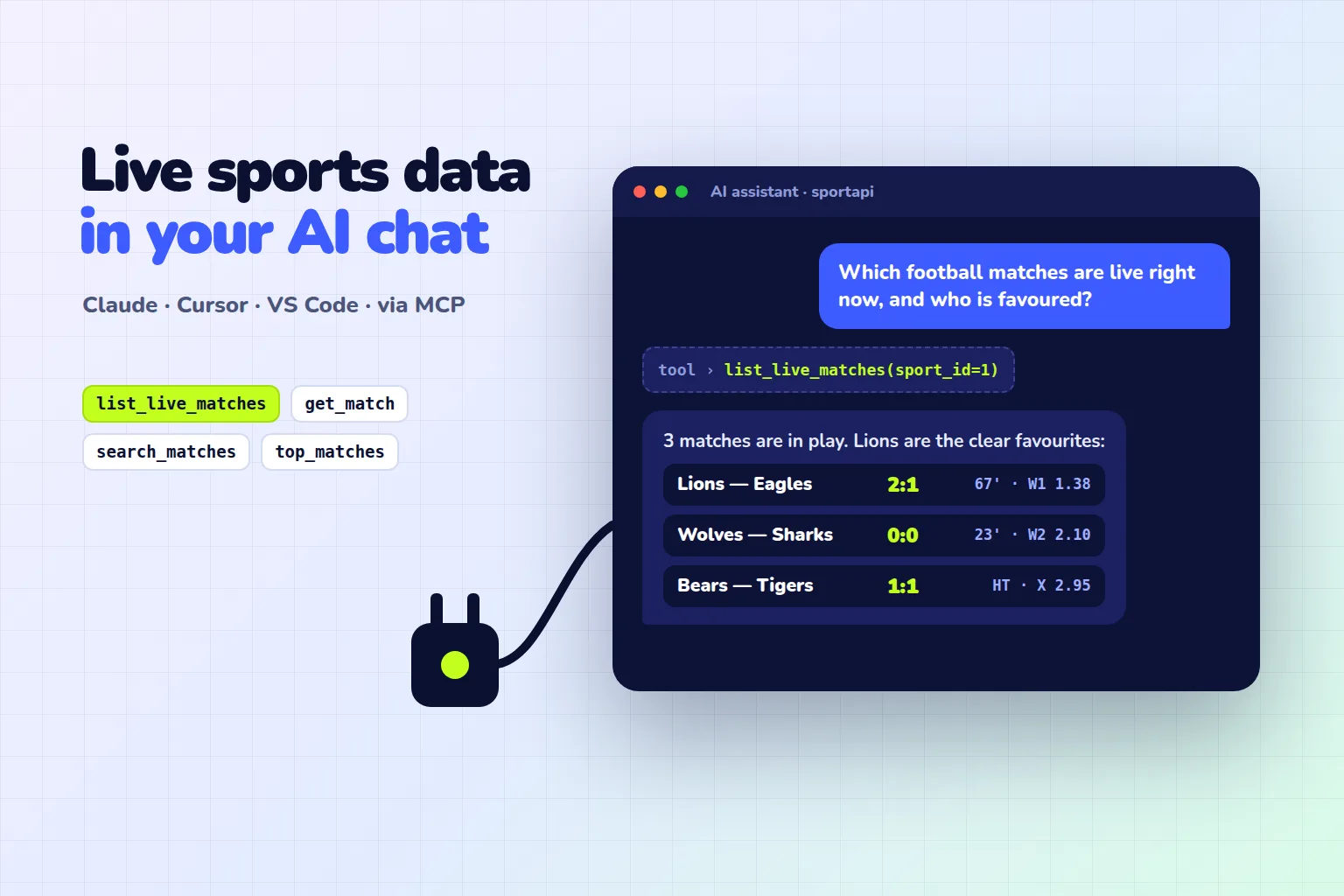
Ask a typical AI assistant which matches are live right now and it will either admit it doesn’t know or confidently quote a score from last week. A language model has no access to live data, and web search doesn’t help much: score pages go stale within a minute, and the odds on them are hard to read reliably.
The fix is MCP (the Model Context Protocol, an open standard for connecting external tools to AI assistants). SportAPI has its own MCP server, sportapi-mcp: free and open source under the MIT licence. It gives Claude, Cursor, VS Code and other clients 11 tools for live and prematch matches, scores, live statistics and betting odds. Without a key it runs on demo data; with a key for the SportAPI sports odds API (from $30 a month per sport) it answers about current matches. Installing takes one command:
claude mcp add sportapi -- uvx sportapi-mcpWhat you can ask your assistant
The assistant picks the right tool and builds the answer itself. A few examples on the demo data from the documentation:
| Question | What the assistant calls | What it gets |
|---|---|---|
| ”Which football matches are live and who is favoured?” | list_live_matches(sport_id=1) | Live matches with score, minute and main odds |
| ”Arsenal v Coventry: how are the goal lines priced?” | get_match(..., markets=["Total"]) | Score, xG, shots and the totals market for that match |
| ”When does Manchester City play next, and at what odds?” | search_matches(text="Manchester"), then get_match | Date, competition, 1X2 and totals |
| ”What are the biggest games this weekend?” | top_matches(line_type="prematch") | Up to 10 of the most popular matches |
| ”Is my SportAPI key OK?” | account_status() | Expiry, sports, languages, requests over 7 days |
In demo mode the answer to the second question reads roughly like this: “Arsenal lead 3:0 at 56’, xG 1.45 vs 0.03. Over 3.5 goals is 1.23, over 4.5 is 2.09. The market expects a fourth goal but leans against a fifth.” The assistant doesn’t invent the numbers; it takes them from the API response.
The server also ships two ready-made prompts: a live betting overview for a sport, and a market comparison for one match with implied probabilities, the bookmaker margin and fair odds.
How to connect the SportAPI MCP server
The server is a Python package (Python 3.10+). The easiest way to run it is uvx from uv: it downloads the package and runs it in an isolated environment. Setup for popular clients is below. You can leave out the env block to start in demo mode.
Claude Desktop
The simplest route is the sportapi-mcp.mcpb file from the latest GitHub release. Open it, and Claude Desktop installs the extension and asks for the key (leave it empty for demo data). Alternatively, add the server by hand to claude_desktop_config.json (Settings → Developer → Edit Config):
{
  "mcpServers": {
    "sportapi": {
      "command": "uvx",
      "args": ["sportapi-mcp"],
      "env": {
        "SPORTAPI_KEY": "YOUR_API_KEY",
        "SPORTAPI_BASE_URL": "https://YOUR_API_DOMAIN"
      }
    }
  }
}
Claude Code
The command at the top of this article is enough for the demo. With a key, for all your projects:
claude mcp add sportapi --scope user -e SPORTAPI_KEY=YOUR_API_KEY -e SPORTAPI_BASE_URL=https://YOUR_API_DOMAIN -- uvx sportapi-mcpCursor
Use the same mcpServers block as for Claude Desktop in ~/.cursor/mcp.json (all projects) or .cursor/mcp.json (one project).
VS Code
In VS Code it’s better not to put the key in the file at all, and let the editor ask for it once and keep it in secure storage. In .vscode/mcp.json:
{
  "inputs": [
    { "type": "promptString", "id": "sportapi-key", "description": "SportAPI key", "password": true }
  ],
  "servers": {
    "sportapi": {
      "type": "stdio",
      "command": "uvx",
      "args": ["sportapi-mcp"],
      "env": {
        "SPORTAPI_KEY": "${input:sportapi-key}",
        "SPORTAPI_BASE_URL": "https://YOUR_API_DOMAIN"
      }
    }
  }
}
Windsurf and any other client that can start an MCP server connect the same way: the command is uvx, the argument is sportapi-mcp, and the environment variables are SPORTAPI_KEY and SPORTAPI_BASE_URL. SPORTAPI_LANGUAGE sets the response language, if that language is enabled for your key.
The server’s 11 tools
| Tool | What it answers |
|---|---|
list_sports | Which sports have live and prematch matches now |
get_menu | The sport → country → competition tree with IDs |
list_countries | Countries with matches in one sport |
list_tournaments | Competitions of one sport in one country |
list_live_matches | Live matches: score, period, minute, main odds |
list_prematch_matches | Upcoming matches: the top list, a competition, the full line or the calendar for the next hours and days |
get_match | One match: score, live statistics, every market and its odds, sub-events |
search_matches | Find matches by team name |
top_matches | Up to 10 of the most popular matches |
top_championships | Up to 12 popular championships |
account_status | Mode and key status |
Every tool is read-only: you can’t place a bet or change anything in the account through the MCP server. A detailed match can carry more than 200 markets, so get_match returns 15 by default and accepts a filter such as ["1X2", "Total"]. That keeps the response from eating the assistant’s context.
Demo mode and a live key
Without a key the server answers with example responses from the SportAPI documentation. Each one is labelled "source": "demo", so the assistant won’t present a snapshot as live data. The demo covers football: live and prematch lists, two detailed matches, searches for “Manchester” and “Perth”, and top matches. Ask about other sports and the server explains what the demo covers and how to get a key.
With a key, the same questions work for every sport in your subscription, on current matches. The server enforces the recommended update intervals by itself: asking again within 7 seconds for the live list returns the cached snapshot instead of a new API request. However often the assistant calls a tool, there’s no extra load.
Why developers, analysts and content teams use it
Developers in Cursor or VS Code. The assistant sees the real shape of the API response instead of guessing it. Ask “write a function that lists live matches with 1X2 odds”, and the code will use the actual fields. For a betting integration, get_match(include_pointers=true) adds each selection’s oc_pointer, which the Coupon API needs. If the assistant is writing an integration from scratch, also give it the AI agent instructions, which collect the rules for working with the API.
Analysts. The market comparison prompt works out implied probabilities and the margin from one match’s odds. It’s a quick way to read a line before a match, with no spreadsheets or scripts.
Content teams. A match-of-the-day preview, a round-up, a list of live matches for a channel: the assistant writes it from fresh data. To put that kind of publishing on autopilot, see our guide to an automated sports Telegram channel.
If you work in ChatGPT, see our article on sports predictions with ChatGPT: there, SportAPI data is connected to a custom GPT through Actions, or to your own bot through function calling.
Setup mistakes
- The key in a shared chat or in Git. Keep it in your MCP client settings or a secret store, as in the VS Code example.
- The key doesn’t work from your computer. A SportAPI key is bound to approved IP addresses or sites. An MCP server usually runs on your own machine, so that address must be allowed for the key. The
account_statustool shows the IP address SportAPI sees. - Only one of the two settings is set. Live data needs both
SPORTAPI_KEYandSPORTAPI_BASE_URL. With neither, the server runs in demo mode. - HTTP mode exposed to the internet. The server has a Streamable HTTP mode, but no authentication of its own. Keep it on localhost or behind your own gateway, or anyone who can reach it uses your key.
- Taking the demo for live data. Demo answers use documentation snapshots from August to October 2026. The assistant says so; don’t skip the label.
- Expecting exact predictions. Odds show how the market rates each outcome; they don’t guarantee the result.
How much it costs
| What you need | Price |
|---|---|
| The sportapi-mcp server | free, open source, MIT licence |
| Demo mode | free, no key |
| Live data for one sport: matches, odds, short live statistics | from $30 a month |
| Testing before you pay | A 2-day trial key, all sports |
FAQ
What is an MCP server, in plain terms?
A small program that gives an AI assistant tools such as “find a match”, “show the odds” or “check the key”. The assistant decides when to call them and builds its answer from the data they return.
Do I need a key to try it?
No. Without a key the server runs in demo mode on football examples from the documentation. For current matches and other sports you need a SportAPI key, either the 2-day trial or a paid plan.
Which clients are supported?
Claude Desktop, Claude Code, Cursor, VS Code, Windsurf and any other client that can start an MCP server. Claude Desktop also has a one-click install through the .mcpb file.
Can I place bets through MCP?
No. All 11 tools are read-only. Bet acceptance and settlement is a separate product, the Coupon API, and it connects to your server, not to the assistant.
What language are team and competition names in?
English by default. SPORTAPI_LANGUAGE switches to another language if it’s available for your key. Demo data is English only.
Where can I find the server in MCP directories?
In the official MCP Registry, on Smithery and on Glama, as sportapi-mcp. The code and releases are on GitHub, and the package is on PyPI.
Where to start
- Install uv and run
claude mcp add sportapi -- uvx sportapi-mcp, or add the server to Cursor or VS Code. - Ask the assistant “which football matches are live and who is favoured?” and look at the demo answer.
- Get a trial key and ask the same question about today’s matches in your sport.
Tell the SportAPI manager on Telegram you’re connecting the MCP server. You’ll get a trial key for SportAPI live matches and odds and can ask your assistant about today’s games.