

Sports Predictions with ChatGPT: How to Give the AI Live Match Data and Odds
ChatGPT does not know today's matches or odds, so it gets things wrong. Here is how to give it live SportAPI data: a no-code custom GPT and function calling through the API.
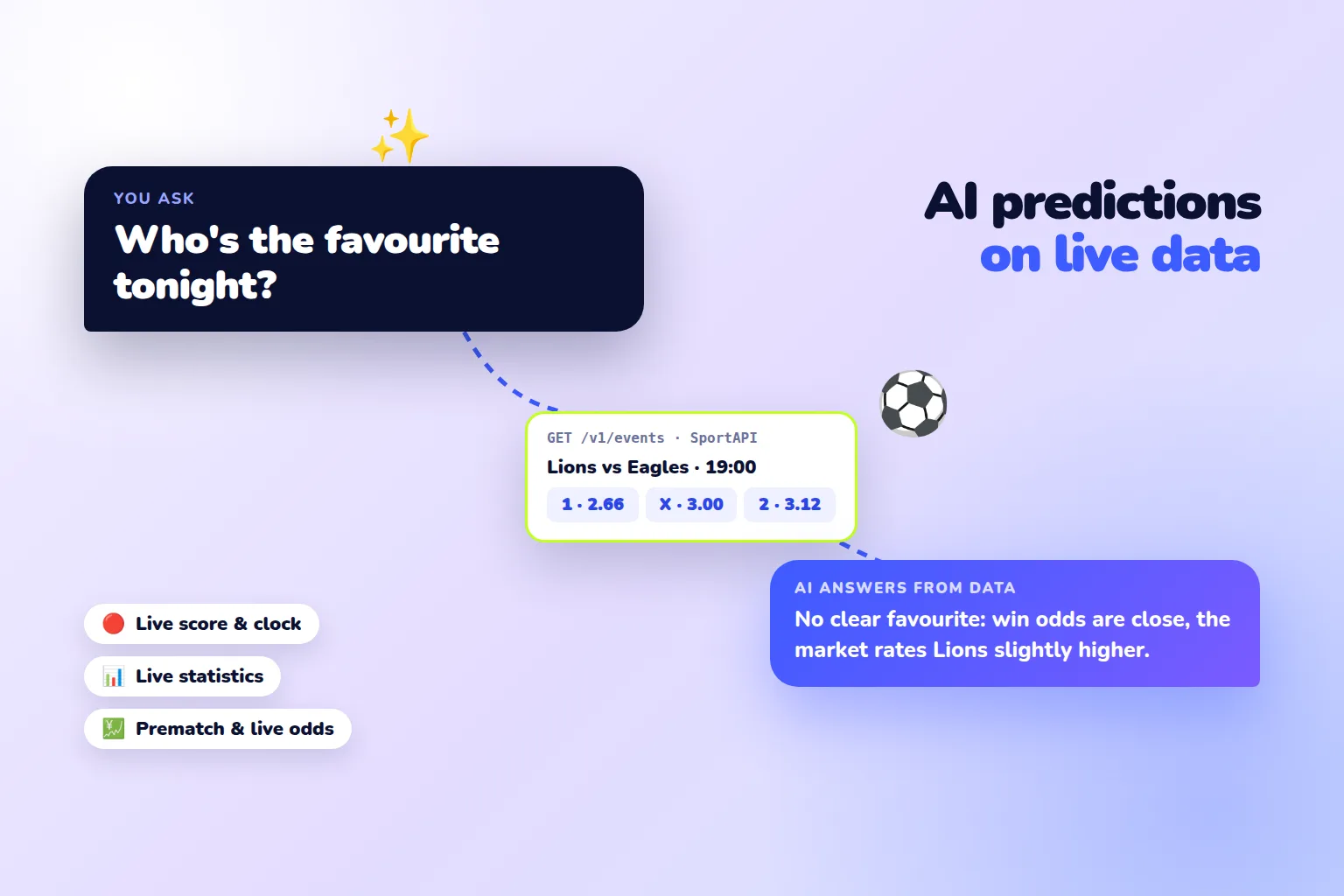
ChatGPT is happy to talk about matches, but it does not know who plays today, what the score is, or what the odds are. Its knowledge ends at its training date, so when asked “who is the favourite in tonight’s match” it answers from old information — or confidently makes something up. The fix is to give the AI access to live data: it first requests matches and odds from SportAPI and only then answers. You can do this without code, through a custom GPT with an action, or inside your own app with function calling. The data comes from the SportAPI Sports Odds API, from $30 a month per sport.
One important point: even with live data, the AI does not know how a match will end. It helps you read the line quickly, compare favourites, and not miss matches — the decisions stay yours.
Why ChatGPT gets sports predictions wrong
- Outdated knowledge. The model does not know today’s fixtures, recent transfers, or current form.
- No live data. Score, minute, and odds change every second — without an external source the model cannot see them.
- Confident inventions. Without data, the model may name a non-existent match or odds in the same confident tone.
Web search helps a little, but search results are news and other people’s tips, not structured data. Giving the model direct API access is more reliable.
How it works
Question → ChatGPT decides what data it needs → SportAPI request → JSON with matches → fact-based answerThe model picks the method itself: upcoming matches with odds, or matches in progress with score and statistics. You only set the rules: answer from the data and never promise winnings.
Option 1: a custom GPT with a SportAPI action — no code
In ChatGPT you can create your own GPT and connect an external API to it as an action:
- Start creating a GPT and open the configuration tab.
- In the actions section, create a new action and paste the schema below, replacing
YOUR_API_DOMAINwith the address from the manager. - For authentication choose API Key, type Custom, and the header name
Package, with your SportAPI key as the value. - In the GPT instructions write: “Before answering about matches, always request data through the actions. Answer only from the returned data. Never promise winnings.”
- Save the GPT and ask: “Which football matches are on today and who are the favourites?”
The schema describes two methods: matches for a period from the match calendar and live matches:
openapi: 3.1.0
info:
  title: SportAPI Sport Line
  version: "1.0"
servers:
  - url: https://YOUR_API_DOMAIN/v1
paths:
  /events/{sportId}/0/sub/50/line/{hours}/{days}/{lang}:
    get:
      operationId: getUpcomingMatches
      summary: Upcoming matches with odds for a period
      parameters:
        - name: sportId
          in: path
          required: true
          description: Sport ID, 1 is football
          schema: { type: integer }
        - name: hours
          in: path
          required: true
          description: Next 2, 4, 6 or 12 hours; 0 means the whole day from days
          schema: { type: integer, enum: [0, 2, 4, 6, 12] }
        - name: days
          in: path
          required: true
          description: 0 is today, 1 is tomorrow, up to 5
          schema: { type: integer, minimum: 0, maximum: 5 }
        - name: lang
          in: path
          required: true
          schema: { type: string, enum: [en, ru] }
      responses:
        "200":
          description: Matches grouped by tournament, with teams, kick-off time and odds
  /events/{sportId}/0/sub/50/live/{lang}:
    get:
      operationId: getLiveMatches
      summary: Matches in progress with score, clock, live statistics and odds
      parameters:
        - name: sportId
          in: path
          required: true
          schema: { type: integer }
        - name: lang
          in: path
          required: true
          schema: { type: string, enum: [en, ru] }
      responses:
        "200":
          description: Live matches grouped by tournament
components:
  securitySchemes:
    apiKey:
      type: apiKey
      in: header
      name: Package
security:
  - apiKey: []
The schema passes an OpenAPI validator. The key lives in the action settings and is not visible to people using your GPT.
Option 2: function calling through the API — in your own app or bot
If you need your own service — a bot, a website, or an internal tool — connect SportAPI as a model function. The Python code below uses the official OpenAI library: the model decides to call upcoming_matches, receives matches with odds, and answers from them.
import json

import requests
from openai import OpenAI

client = OpenAI()  # the OpenAI key comes from the OPENAI_API_KEY environment variable
SPORTAPI = "https://YOUR_API_DOMAIN/v1"
HEADERS = {"Package": "YOUR_SPORTAPI_KEY"}


def upcoming_matches(sport_id=1, hours=12):
    url = f"{SPORTAPI}/events/{sport_id}/0/sub/50/line/{hours}/0/en"
    body = requests.get(url, headers=HEADERS, timeout=10).json()["body"]
    matches = []
    for tournament in body:
        for match in tournament["events_list"]:
            odds = {
                o["oc_name"]: o["oc_rate"]
                for group in match.get("game_oc_list", []) if group["group_name"].lower() == "1x2"
                for o in group["oc_list"]
            }
            if not odds:
                continue  # skip helper sub-events without odds
            matches.append({
                "tournament": tournament["tournament_name"],
                "home": match["opp_1_name"],
                "away": match["opp_2_name"],
                "start": match["game_start"],
                "odds": odds,
            })
    return matches[:30]  # top matches are enough and keep the response short


tools = [{
    "type": "function",
    "function": {
        "name": "upcoming_matches",
        "description": "Upcoming matches and 1 / X / 2 odds from SportAPI",
        "parameters": {
            "type": "object",
            "properties": {
                "sport_id": {"type": "integer", "description": "Sport ID, 1 is football"},
                "hours": {"type": "integer", "enum": [2, 4, 6, 12]},
            },
        },
    },
}]

messages = [
    {"role": "system", "content": "Answer only from tool data. Never promise winnings."},
    {"role": "user", "content": "Which football matches are on in the next 12 hours, and who are the favourites?"},
]
reply = client.chat.completions.create(model="YOUR_MODEL", messages=messages, tools=tools)
message = reply.choices[0].message
if message.tool_calls:
    messages.append(message)
    for call in message.tool_calls:
        result = upcoming_matches(**json.loads(call.function.arguments))
        messages.append({
            "role": "tool",
            "tool_call_id": call.id,
            "content": json.dumps(result, ensure_ascii=False),
        })
    reply = client.chat.completions.create(model="YOUR_MODEL", messages=messages, tools=tools)
print(reply.choices[0].message.content)
The function passes only the needed fields and no more than 30 matches, so the API response does not flood the context and the model works faster and cheaper. Replace YOUR_MODEL with an OpenAI model that supports function calling.
What an answer with live data looks like
Question: “Who are the favourites in today’s Nations League matches?” The model calls the function, receives matches with odds — Kazakhstan vs Faroe Islands, for example: 1 at 2.66, X at 3.00, 2 at 3.12 — and answers along these lines:
Kazakhstan vs Faroe Islands has no clear favourite: the win odds are close
(2.66 and 3.12), with the draw at 3.00. The market rates the home side's
chances slightly higher. This is a reading of the odds, not a guaranteed result.
The numbers come from the data instead of being invented, and the model explains what its conclusion is based on.
What to ask
- “Which Premier League matches are on today, and who has the lowest win odds?”
- “Show matches in the next 2 hours where home and away win odds are almost equal.”
- “Which matches are in progress at 0–0 in the second half?” — for this kind of question there is a dedicated tool, the live signals bot.
- “Compare the favourites’ chances in the next three matches by their odds.”
Good questions rely on data: fixtures, scores, odds. Bad ones rely on what the data cannot hold: “will this team definitely win” or “what will the score be”.
Limits and safety rules
- AI answers are not a guarantee. The model interprets odds and statistics but does not know the outcome.
- Do not let AI settle bets. Results and payouts must be based on official results — we explain why in the article on where to get final match results in JSON.
- Limit the data volume. Request a narrow period — 2, 4, or 12 hours — or a specific competition, not the whole line at once.
- Keep the key on the server. In a custom GPT — in the action settings; in your app — in environment variables.
For developers: instructions for AI agents
If an AI agent writes the integration code — in a code editor, for example — give it the AI agent instructions from the SportAPI documentation. They describe methods, fields, and update rules, so the agent connects the API without guessing.
What it costs
| What you need | Cost |
|---|---|
| Matches, prematch and live, odds, short live statistics for one sport | from $30 a month |
| ChatGPT or the OpenAI API | OpenAI pricing |
| Testing before you pay | 2-day SportAPI trial key, all sports |
FAQ
Can ChatGPT make football predictions?
It can reason about matches, but without external data it relies on outdated information. With SportAPI connected, it sees current matches, scores, and odds, and its answers become tied to facts.
Do I need to code to connect the data?
No, if you use a custom GPT with an action: paste the schema and the key. For your own app or bot you need the function calling code from this article.
Will other AI models work?
Yes. Most modern models support calling external functions. The logic is the same: the model requests data through your tool and answers from it.
Can I trust AI predictions?
As an analysis assistant — yes; as a guarantee — no. AI helps you read the line faster, but the outcome of a match stays unknown.
Can I test it before paying?
Yes. The 2-day trial key includes all sports, prematch and live — enough to build your GPT and check its answers on real matches.
What to do today
- Get a SportAPI trial key.
- Create a custom GPT and connect the action with the schema from this article.
- Add the rule “answer only from the data” to its instructions.
- Ask a few questions about today’s matches and check the answers.
- If you need your own bot or service, use the function calling code.
Message the SportAPI manager on Telegram with the AI model and sports you are connecting — you will get a trial key for the Sports Odds API.