

Sports Telegram Channel on Autopilot: Auto-Posting Fixtures, Odds, and Results
How to run a sports channel that posts fixtures, live scores, and results by itself: data from SportAPI, a bot in Python or n8n, and honest ways to monetize it.
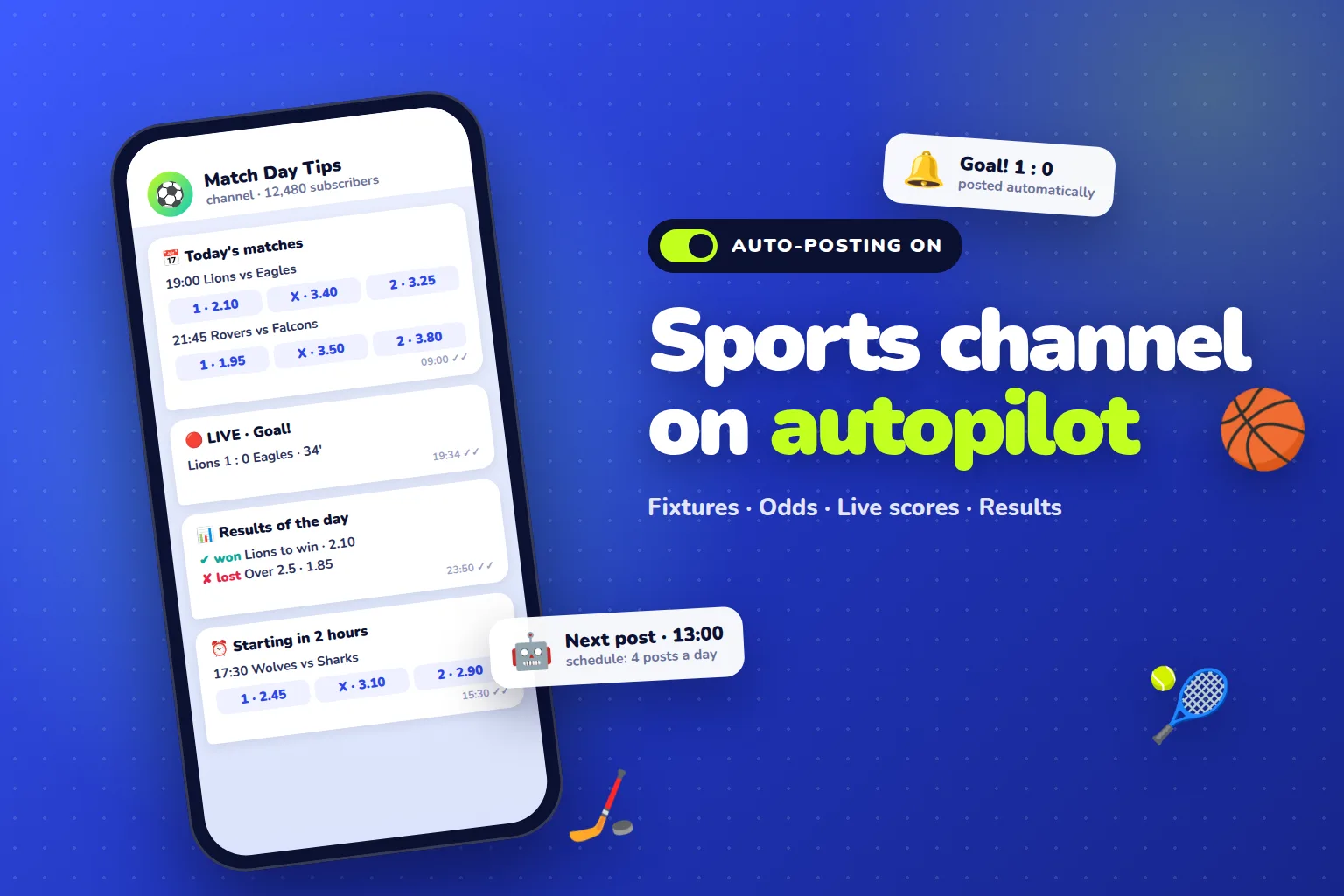
A sports Telegram channel can run itself: every morning a bot posts today’s matches with odds, during the day it posts upcoming games and live scores, and in the evening it publishes results and how the predictions did. You need two things for that: a sports data source and a small bot that turns the data into posts. With SportAPI the data source is ready: the match calendar, prematch and live line, odds, and results come from one API, and a plan for one sport costs $30 a month.
Below: which posts you can publish automatically, how to set up auto-posting in Python or in n8n without code, how to grade predictions without manual work, and how such a channel can earn money.
What a sports channel on autopilot posts
Channels that people actually read follow a clear rhythm: in the morning — what is on today, during the day — what starts soon, in the evening — how it all ended. Each post type takes its data from a specific SportAPI method:
| Post | When | Data | Source in SportAPI |
|---|---|---|---|
| Today’s matches with odds | Morning | Kick-off, teams, competition, 1 / X / 2 | Match calendar for today |
| Starting soon | Every 2–4 hours | Matches in the next 2 or 4 hours | Match calendar by hours |
| Live: scores and goals | During matches | Score, period, score changes | Live match list |
| Daily results and prediction record | Evening | Final score, whether the tip won | Results API |
| Strategy signals | When a rule triggers | Match, condition, reason | Turnkey sports strategies |
The key piece is the match calendar. It returns only the matches of the selected period: the next 2, 4, 6, or 12 hours, today, or a specific day up to 5 days ahead. You do not need to download the whole line for a sport and filter it yourself — one request gives you a ready list for a post.
How auto-posting works
The setup is simple and the same for any sport:
SportAPI → your script or n8n → Telegram Bot API → channel- SportAPI returns matches, odds, scores, and results as JSON.
- The script requests data on a schedule, picks the matches, and builds the post text.
- The Telegram Bot API publishes the post on behalf of a bot you added as a channel admin.
A regular scheduler runs it: cron on a server, a task scheduler, or a schedule trigger in n8n. The server can be the cheapest one — the script runs for a few seconds and sleeps until the next run.
Your first auto-post in Python, step by step
Step 1. Create a bot and add it to the channel
Create a bot with Telegram’s official bot for developers (BotFather) and save the token. Then add the bot to your channel as an admin with permission to post messages.
Step 2. Get a SportAPI key
Message the SportAPI manager — the 2-day trial key includes all sports, prematch and live. The key goes in the Package header of every request.
Step 3. The “next 12 hours” script
The script takes football matches for the next 12 hours from the match calendar and posts them with 1 / X / 2 odds:
from datetime import datetime

import requests

API = "https://YOUR_API_DOMAIN/v1"
SPORTAPI_HEADERS = {"Package": "YOUR_SPORTAPI_KEY"}
BOT_TOKEN = "YOUR_BOT_TOKEN"
CHANNEL = "@your_channel"


def upcoming_matches(hours=12):
    url = f"{API}/events/1/0/sub/50/line/{hours}/0/en"
    response = requests.get(url, headers=SPORTAPI_HEADERS, timeout=10)
    response.raise_for_status()
    for tournament in response.json()["body"]:
        for match in tournament["events_list"]:
            yield tournament["tournament_name"], match


def main_odds(match):
    for group in match.get("game_oc_list", []):
        if group["group_name"].lower() == "1x2":
            return " · ".join(f'{o["oc_name"]} {o["oc_rate"]}' for o in group["oc_list"])
    return ""


lines = ["⚽ Matches in the next 12 hours"]
for tournament, match in list(upcoming_matches())[:10]:
    start = datetime.fromtimestamp(match["game_start"]).strftime("%H:%M")
    teams = f'{match["opp_1_name"]} vs {match["opp_2_name"]}'
    lines.append(f"\n{start} {teams}\n{tournament}\n{main_odds(match)}")

requests.post(
    f"https://api.telegram.org/bot{BOT_TOKEN}/sendMessage",
    json={"chat_id": CHANNEL, "text": "\n".join(lines)},
    timeout=10,
).raise_for_status()
The request /v1/events/1/0/sub/50/line/12/0/en means: football (1), all competitions (0), matches in the next 12 hours, English names. For a “Today’s matches” post, replace 12/0 with 0/0 and the calendar returns every match until the end of the day. If you do not need odds in the post, add ?odds=false to the URL — the response becomes several times smaller.
All periods and parameters are described in the match calendar documentation.
Step 4. Put it on a schedule
For example, with cron — every day at 9:00 and then every 4 hours:
0 9,13,17,21 * * * /usr/bin/python3 /opt/channel/upcoming.pyA Telegram message holds up to 4,096 characters, so 8–10 matches per post work best. Top leagues come first in the calendar response, so the first matches in the list are usually the most interesting.
Auto-posting without code: n8n
If you would rather not write code, you can build the same flow in n8n, a visual automation tool:
- Schedule Trigger — run on a schedule, for example every day at 9:00.
- HTTP Request — call the SportAPI match calendar with the
Packageheader and your key. - Code — a few lines that pick matches and build the post text.
- Telegram — send the message to your channel through your bot.
The workflow does the same job as the Python script but is configured with the mouse. It is a good fit for channel owners who want to change the post format themselves, without a developer.
Live posts: scores and goals
Live posts make a channel feel alive: subscribers get a goal alert before they open the stream. The logic is simple:
- Every 30–60 seconds the script requests the live match list for your sport.
- It compares each match’s score with the previous request.
- If the score changed, it posts “Goal! Team A 1–0 Team B, 34th minute”.
Do not post every change for every match in the world — that turns the channel into spam. Pick 5–10 matches of the day from popular competitions and only report those. Also respect Telegram’s limits: a bot should not send more than one message per second to the same chat.
Results and prediction records — automatically
The most valuable thing for a channel’s credibility is an honest prediction record. When results are graded by a system using official scores instead of by the author by hand, subscribers see the real hit rate.
With the Sports Results API there is no manual work:
- in the evening the script gets final scores for finished matches;
- compares them with the tips the channel posted in the morning;
- posts the day’s record: which tips won and which lost;
- once a week, posts a summary: number of tips, hit rate, average odds.
That transparency sets your channel apart from hundreds of “sure bet” channels and noticeably improves conversion to a paid subscription.
How a sports channel can earn money
Income depends on the audience, the niche, and your work, so we do not promise numbers. But a channel with regular useful content has several clear models.
Paid private channel or subscription
The free channel posts fixtures and results; the paid one posts match analysis, tips, and signals. An automatic prediction record from the Results API is the best argument for buying a subscription.
Your own predictions website
The channel brings the audience, and a website earns the money: paid access to tips, tipster rankings, and verified results. SportAPI builds a turnkey sports predictions website on the same data your channel uses.
Strategy signals
If you have rules for picking matches — based on odds or live game flow, for example — they can become automatic signals. SportAPI develops turnkey sports strategies that send signals to a private Telegram bot. Access to such a bot is a separate paid product.
Affiliate programs and advertising
Many sports channels earn from bookmaker affiliate programs and advertising. Work only with operators licensed for your audience’s country, follow that country’s advertising rules, show the 18+ age limit, and never promise winnings. That protects both the channel and its subscribers.
Traffic to your own live website
The channel can send subscribers to your own site with a live section, where a 3D match tracker and live video keep them engaged — and you earn from your own audience instead of someone else’s platform.
Mistakes that stop channels from growing
- Spam. Dozens of posts a day about every match is the main reason people unsubscribe. Four to six genuinely useful posts work better.
- Promising “sure bets”. Subscribers check results quickly, and guaranteed wins do not exist.
- Manual results. Results graded by hand are easy to “adjust” — and the audience feels it. An automatic record from the Results API removes the question.
- Scraping other websites. A script that collects data from a bookmaker or live score site breaks with every update of that site. An official API with documentation keeps working.
- One sport forever. Start with football, but test tennis, basketball, or esports: they have their own audiences and less competition.
What it costs to run a channel on autopilot
| What you need | Cost |
|---|---|
| Data: matches, prematch and live line, odds, short live statistics for one sport | from $30 a month |
| Final scores for grading predictions | Results API, from $25 a month, +$10 for each extra language |
| Bot and server | A Python script or n8n on an inexpensive server |
| Testing before you pay | 2-day SportAPI trial key, all sports |
One sport and one script are enough to start. As the channel grows, add more sports, live posts, and a paid product.
FAQ
Can a sports Telegram channel run fully automatically?
Yes. Fixtures, odds, live scores, and results are posted by a bot on a schedule from SportAPI data. The author adds their own analysis and talks to the audience — that is what separates a living channel from a robot feed.
Do I need to know how to code?
No. You can build auto-posting in n8n from ready-made blocks: a schedule, a SportAPI request, text formatting, and sending to Telegram. The Python script in this article is for those who want more flexibility.
How often can I publish live posts?
Request the live match list every 30–60 seconds and post only score changes in the matches you selected. SportAPI documentation allows refreshing the live match list as often as every 7 seconds, so a channel has plenty of headroom.
Which sports work best for a channel?
Football has the biggest audience but also the most competition. Tennis, basketball, ice hockey, and esports are good niches: plenty of matches and fewer quality channels. SportAPI covers 294 sports and esports disciplines, and plans are priced per selected sport.
Can I test everything before paying?
Yes. The 2-day trial key includes all sports, prematch and live. That is enough to run the script from this article and see how the posts look in your channel.
What to do today
- Create a bot and add it to your channel as an admin.
- Get a SportAPI trial key.
- Run the “next 12 hours” script and put it on a schedule.
- Add evening results through the Results API.
- After a week, check your channel stats and decide which paid product to add.
Message the SportAPI manager on Telegram with the sports your channel needs — you will get a trial key and can launch your first auto-post the same day. All the data for the channel comes from the Sports Odds API.