

Sportsbook iFrame Integration: How to Embed a Betting Section Into an Existing Site and What to Check Before Launch
What a sportsbook iFrame is, how an embedded betting section connects to your accounts, sessions and balances, where bets are placed and settled, and a 12-point checklist before you switch it on.
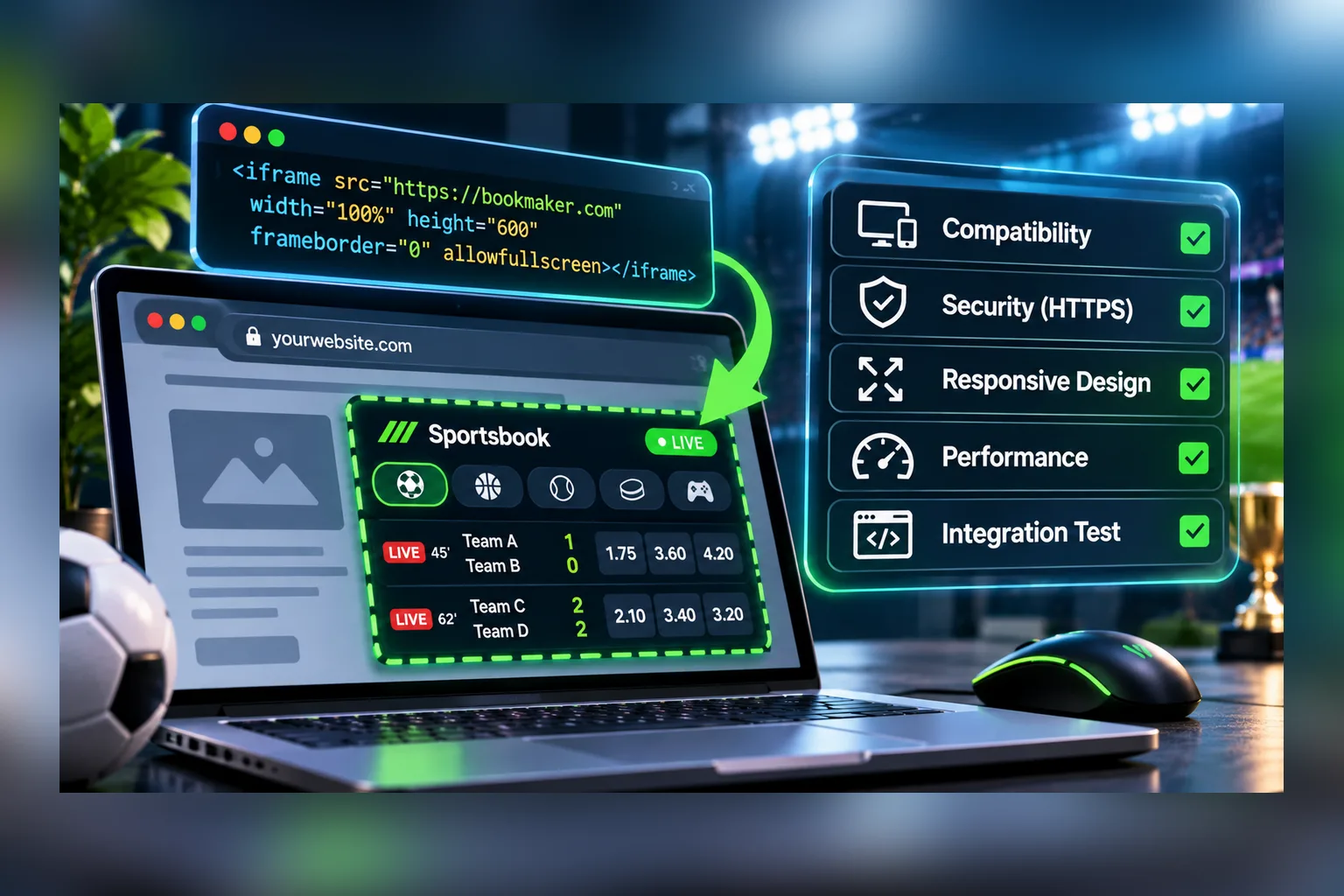
A sportsbook iFrame is a ready-made betting section, with events, markets, odds and a bet slip, that loads inside a page of your existing site. You don’t build the interface. You add a container and a loader script, tell the embedded sportsbook who the player is, react to a handful of events, and connect bet placement to your wallet. The site, the accounts and the money stay yours.
That makes it the fastest way to add sports betting to a product that already has users: an online casino, a sports portal, a tipster site, a new project testing demand. It also makes it easy to launch badly, because the embedded part works on day one while the parts around it, sessions, balances, consent, mobile layout, are yours to get right. This article covers how the integration is put together and the 12 things to check before launch. The examples refer to the SportAPI sportsbook widget, which you can try in a live demo first.
What “sportsbook iFrame” means in practice
Three names describe the same thing. Sportsbook widget is the product. Bet embed is the delivery format. Sportsbook iFrame is the industry’s habitual term for “a sportsbook someone else renders inside my page”.
In practice it’s rarely a bare <iframe src="…">. A modern embedded sportsbook is loaded by a JavaScript loader into a container on your page, because a plain frame can’t do the things a betting section needs: resize to its content, ask your site to log the player in, tell you the bet slip changed, learn that the balance moved. The loader sets that up; whether it renders a frame inside is an implementation detail.
What you get inside the container:
- upcoming events with schedules, participants, markets and current odds;
- a live section with score, period, match status and updating odds;
- main and additional markets with their parameters;
- a bet slip for singles and accumulators;
- a responsive layout for desktop and mobile;
- the interface and the data in the languages enabled for your project.
How the embed is put together
On your side the page needs two things, a container and the loader:
<!-- your page keeps its own header, login and balance -->
<main>
  <h1>Sports betting</h1>
  <div id="sportsbook" style="min-height: 720px"></div>
  <!-- the loader snippet with your project's parameters goes here -->
</main>
During initialization your site passes the widget a small set of values:
| Parameter | What it’s for | Where it comes from |
|---|---|---|
| Project identifier | Tells the widget which project and settings to load | Issued by the manager |
| Approved domain | The widget runs only on domains registered for the project | You name them: production, www, mobile, staging |
| Language | Interface and data language | Your page’s locale |
| Sportsbook mode | Which section to open | Your page’s context |
| Customer session token | Identifies the logged-in player, when a session is required | Your backend |
The exact loader snippet and parameter names come with your project’s embed code from the manager; the technical guide for the widget is still being written, so treat the table as the list of decisions to make, not as an API reference. None of the decisions is hard, but each has to be made before launch: which domains, which languages, anonymous browsing or logged-in only.
Four events your site has to handle
The widget draws the sportsbook; your site remains the system of record. They talk through events:
| Event from the widget | What your site does |
|---|---|
| Login required | Opens your own login or registration form, then passes a session token back |
| Bet slip changed | Updates your UI if needed (a counter in the header, analytics) |
| Balance update | Refreshes the balance shown in your header |
| Session expired | Issues a fresh token or sends the player to log in |
Most integration bugs live in this table. A widget that asks for login while your site does nothing looks broken to the player, though the widget is fine. Decide for each event what the player sees, and test each one by hand.
Authentication: passing the player to the widget
The widget never sees a password and shouldn’t see your main session cookie. Your backend issues a short-lived token for the logged-in player, and the page hands it to the widget at initialization. The pattern looks like this:
// GET /api/sportsbook-session: a short-lived token for the logged-in player
app.get('/api/sportsbook-session', requireUser, (req, res) => {
  const token = jwt.sign(
    { sub: String(req.user.id), currency: req.user.currency },
    process.env.SPORTSBOOK_SESSION_SECRET, // stays on the server
    { expiresIn: '10m' },
  );
  res.json({ token });
});
The token’s format and the exact session flow are agreed during the technical integration, so take the code as the shape of the solution: issued by your server, tied to one player, valid for minutes, refreshed when the widget reports an expired session. An anonymous visitor gets no token and can browse the line; the widget asks for login when they try to bet.
Bets and money: what the widget does and what your server does
The widget provides the bet slip. Accepting the bet and settling it happens through the Coupon API, the bet placement and settlement service, and the wallet is yours:
- The player confirms the slip in the widget.
- Your server checks the balance and your limits, and reserves the stake.
- The bet is created through the Coupon API, which re-checks the odds and the availability of every selection at that moment. See coupon placement for the request.
- If the odds changed, the bet is refused or accepted at the new price, according to the mode you chose.
- After the match the coupon is settled automatically and your server receives a signed callback.
- Your server pays out from the result and tells the widget the balance changed.
Player balances, deposits, withdrawals and payouts never leave your platform. That’s the main difference between an embedded sportsbook and sending your users to someone else’s betting site: the customer, the money and the data stay with you.
What to check before launch
- Domains. Every domain the widget will run on is registered for the project: production,
www, the mobile subdomain, staging. - Container size. The container has a minimum height and the page doesn’t get a second scrollbar on mobile.
- Languages. The widget’s language follows your page’s language, and the sports data exists in that language for your project.
- Login. An anonymous visitor who tries to bet gets your login form and returns to the same slip.
- Session expiry. Leave a tab open past the token lifetime, then place a bet. The player should not be thrown out silently.
- Balance. The balance in your header changes after a bet is placed and again after it’s settled.
- Odds changes. Place a live bet while odds move and confirm the player sees the new price or a clear refusal.
- Content Security Policy. If your site sends a CSP header, the widget’s host is allowed for scripts, frames and connections.
- Consent and age. The sportsbook loads after your age gate and cookie choice, not before.
- Performance. The loader doesn’t block your page: it’s loaded after the main content, and the container reserves its height so the layout doesn’t jump.
- Your own content. The page has its own heading and text. What’s inside the widget isn’t your page’s text for search engines.
- Failure. If the loader can’t be fetched, the player sees a message and a retry, not an empty rectangle.
Two of these need a line of configuration. For CSP, add the host from your embed code to the relevant directives:
Content-Security-Policy: script-src 'self' https://WIDGET_HOST; frame-src https://WIDGET_HOST; connect-src 'self' https://WIDGET_HOSTFor performance, load the sportsbook when its container is about to enter the viewport:
const box = document.getElementById('sportsbook');
new IntersectionObserver((entries, observer) => {
  if (!entries[0].isIntersecting) return;
  observer.disconnect();
  // insert the loader snippet from your embed code here
}, { rootMargin: '300px' }).observe(box);
Widget, API or a turnkey platform
The embedded sportsbook is one of three ways to get a betting product, and it’s the right one in a specific situation:
| You have | You need | Take |
|---|---|---|
| A site with users and its own accounts | A betting section this month | The sportsbook widget |
| A development team and a product idea | Your own interface and flows | The odds feed and the Coupon API |
| A market and a business model, no developers | A complete product with a back office | A turnkey platform |
The trade-off of the widget is the interface: it’s the widget’s interface in your languages inside your page, not a design of your own. Many projects start embedded to prove demand and move to their own front end later; the data and the bet processing underneath stay the same. The full comparison is in turnkey sportsbook vs building on APIs.
Mistakes that show up after launch
- Treating the embed as “paste and forget”. The four events are the integration. Without them the widget is a showcase, not a sportsbook.
- Long-lived tokens. A token valid for days is a session someone can steal. Minutes, with refresh.
- Moving the wallet “for convenience”. Keep balances in your system from the first bet. It’s what lets you change the interface later without touching money.
- Crediting from the bet slip. The payout comes from the settlement result, never from the potential win shown in the slip.
- No fallback. Ad blockers and strict corporate networks block third-party scripts. Show a message.
- An empty page around the widget. A page that is only an embed has nothing for search engines to index and nothing to show while the widget loads.
How it works with SportAPI
The SportAPI widget uses the same data as the Sports Odds API and connects bets through the Coupon API, so the line, the odds checks and the settlement behave exactly as they do for teams that build their own front end. To start you need three things from the manager: the project identifier, your domains approved for the project, and the embed code. The installation guide is in preparation, so the manager walks you through initialization, authorization and events for your setup.
What to do before that conversation: open the live demo on a phone and on a desktop, decide whether visitors can browse without logging in, and list the domains and languages. Pricing for the widget is agreed for the project; the services under it have public minimums, from $30 a month per sport for the odds feed and from $300 a month for bet placement and settlement.
FAQ
Is a sportsbook iFrame a real iframe?
Sometimes, inside. What you install is a container and a JavaScript loader, because a betting section has to exchange events with your site, and a bare frame can’t. “iFrame” is the industry’s name for the whole category of embedded sportsbooks.
Can players actually place bets through it?
Yes, when bet placement is connected. The widget provides the bet slip and the events; bets are created and settled through the Coupon API, and the wallet operations happen in your platform.
Does it work with our existing login?
Yes. Your backend issues a session token for the logged-in player and the widget notifies your site when authentication is needed. The exact session flow is agreed during the technical integration.
Will an embedded sportsbook slow the site down?
Not if it’s loaded after your main content and its container reserves the height. Load it lazily when the container approaches the viewport, as in the example above.
Is it bad for SEO?
It’s neutral for the page if the page has its own content. Search engines index your headings and text; the matches and odds inside the embed aren’t your page’s text. Don’t build a site out of pages that contain nothing but the widget.
Can we change how it looks?
The interface is the widget’s, in your project’s languages, responsive on desktop and mobile. If your own design is the point, build on the API or order a platform; the embedded format is for speed.
Before you ask for the embed code
Open the demo on two devices, write down your domains and languages, decide the login rule, and sketch what your site does on each of the four events. With that list the first call is about your project instead of about basics. Send it to the SportAPI manager on Telegram and ask for a walkthrough of the widget on your platform.