

Live Odds API: How In-Play Odds Update and How Fast Your Site Gets Them
What actually changes in a live odds API between two polls, a five-minute measurement on a real match, the delay budget from the pitch to the screen, and why a stale price never turns into a wrong bet.
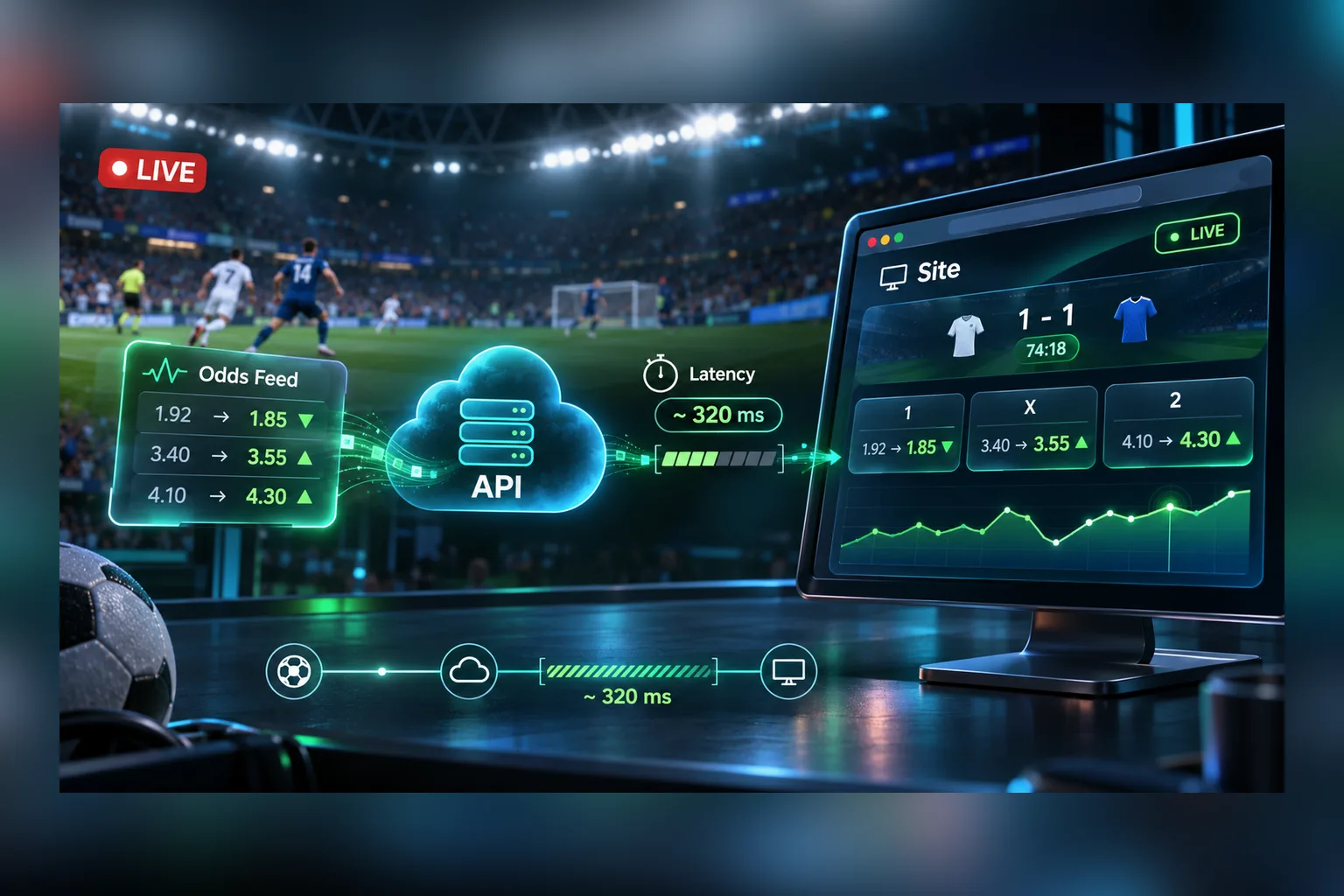
In-play odds don’t tick like a clock. They sit still for several seconds and then a third or a half of all selections reprice at once; after a goal the markets are blocked and come back at new prices. A live odds API hands you a snapshot of that state each time you ask, and your site shows it after a delay made of four parts: the source to the API, the API to your server, your server to the browser, and the render.
With typical settings that delay averages about six seconds for an open match and about ten in the worst case. It doesn’t lead to wrong bets, because the price is checked again at the moment the bet is placed. Below is what we measured on a real match, the four kinds of change you have to handle, the delay budget in numbers, and the rules for showing moving odds to a player. The examples use Sport Line API, the SportAPI odds feed.
What we measured
On 9 November 2026 we polled one live football match through the event method every 5 seconds for 5 minutes on a test key. The match was a reserve-league game at 0–0, between the 15th and 20th minute, with no goals in the window: the quiet state a match is in most of the time.
| Metric | Result |
|---|---|
| Polls | 60, one every 5 seconds |
| Size of the response | 52 markets, about 390 selections |
| Response time | median 163 ms, 95th percentile 204 ms, slowest 275 ms |
| Polls that brought at least one new price | 14 of 59 |
| Selections repriced in one update | up to 216 of about 390 |
| Moves of the main 1X2 market | 3 |
| Selections that appeared / disappeared | 15 / 24 |
| Blocked selections | 0 (no goals or dangerous moments in the window) |
Two things follow. Prices arrive in batches: when the feed updates a match, it reprices many related markets together, because one change in the expected score moves every total and handicap. And most polls bring nothing new: 45 of 59 responses carried exactly the same odds as the one before.
One caveat about the numbers. A test key isn’t the tool for judging how fresh production data is: the product page says a trial key may include an artificial delay. The measurement shows the shape of the changes and the response time, not the freshness of a production feed. How to measure that is at the end of the article.
Four kinds of change in a live odds response
Every poll returns the full current state of the match. Comparing it with the previous one, you’ll see four different things happen:
- A price moves.
oc_ratechanges for a selection that was already there. This is the common case, and it comes in batches. - A selection is blocked or reopened.
oc_blockturnstruearound goals, penalties and other moments when the price is about to change, and laterfalseagain, usually at a new price. A blocked selection stays in the response so the page doesn’t jump, but it must have no button. - A selection appears or disappears. After a goal the main total moves, say from 2.5 to 3.5, time-bound markets close, new ones open. In five quiet minutes we saw 15 selections appear and 24 go.
- A market’s parameter shifts.
oc_size, the total or handicap value, is part of the selection’s identity. “Over 2.5” and “Over 3.5” are different selections with different pointers, not one selection whose label changed.
All four are visible in one comparison keyed by oc_pointer, the stable ID of a selection:
// flatten an event/group response into pointer -> { rate, blocked }
function snapshot(game) {
  const map = new Map();
  for (const market of game.game_oc_list)
    for (const column of market.oc_list)
      for (const oc of column)
        map.set(oc.oc_pointer, { rate: oc.oc_rate, blocked: oc.oc_block });
  return map;
}

function diff(prev, next) {
  const changes = [];
  for (const [pointer, now] of next) {
    const was = prev.get(pointer);
    if (!was) changes.push({ pointer, type: 'added', ...now });
    else if (was.blocked !== now.blocked)
      changes.push({ pointer, type: now.blocked ? 'blocked' : 'reopened', ...now });
    else if (was.rate !== now.rate)
      changes.push({ pointer, type: now.rate > was.rate ? 'up' : 'down', ...now });
  }
  for (const pointer of prev.keys())
    if (!next.has(pointer)) changes.push({ pointer, type: 'removed' });
  return changes; // send only this to browsers
}
Sending browsers the diff instead of the whole response matters at scale: the full match object holds hundreds of selections, while a typical diff is empty or a few lines long.
The delay budget: from the pitch to the screen
The delay a player sees is a sum, and you control more than half of it:
| Stage | How long | Who controls it |
|---|---|---|
| Event at the source → available in the API | About 2–3 seconds on a production key | The provider |
| API → your server | 0 to 5 seconds for an open match, 0 to 7 for the match list; half of that on average | Your polling interval, down to the documented minimum |
| The HTTP request itself | 0.16 seconds median in our check | The network |
| Your server → the browser | 0 to your push or refresh interval | You |
| Rendering | Tens of milliseconds | You |
For an open match polled every 5 seconds and browsers refreshed every 2 seconds, that’s about 2.5 + 2.5 + 0.2 + 1 ≈ 6 seconds on average, and 3 + 5 + 0.3 + 2 ≈ 10 seconds in the worst case. The match list is a little slower, because its minimum interval is 7 seconds.
You can shrink the last two stages to almost nothing: push the diff to browsers over WebSocket or server-sent events the moment your poller sees it, and render only the changed cells. You can’t go below the documented polling minimum, and it wouldn’t help if you did, as the next section shows.
Why polling faster doesn’t make odds fresher
In the measurement, 45 of 59 polls returned prices identical to the previous response. Asking twice as often would have doubled the number of identical answers. The minimum intervals in the data update guidelines are set to match how the data moves:
| Method | Live | Prematch |
|---|---|---|
events (match list) | 7 s | 30 s |
event (one match) | 5 s | 30 s |
menu | 20 s | 60 s |
Three habits keep a live integration both fresh and cheap:
- One poller per data set, not per player. A thousand players watching the same match are served from one cached response.
- Details only for open matches. The list already carries the main odds for every match; request
eventfor a match when someone opens it. - No overlapping requests. If a response is slow, wait for it before starting the next request for the same data.
The architecture around these rules, from caches to delivery, is described in How Live Data Travels from a Sports API to a Website.
Why a stale price never becomes a wrong bet
A few seconds of delay would be a problem if the bet were accepted at whatever the screen shows. It isn’t. When the player confirms the slip, your server sends the Coupon API a pointer that includes the odds the player saw, and the bet placement service compares them with the current ones:
| What happened since the player saw the price | With mode: reject | With mode: accept |
|---|---|---|
| Nothing | Accepted | Accepted |
| The odds changed | Refused with code 501, the new odds come back in body.changes[] | Accepted at the new odds, if the direction is allowed by mode_type |
| The selection was blocked | Refused with 503 | Refused with 503 |
| The selection is gone | Refused with 502 | Refused with 502 |
mode_type is 1 to accept only higher odds, 2 only lower, 3 any change. The usual setup is reject by default with a player setting “accept odds changes”. Either way, the delay on screen costs the player a second confirmation at most, never a bet at a price that no longer exists.
What to show the player
- Mark the direction. Highlight a repriced selection for two or three seconds, green for up and red for down, using the
upanddowntypes from the diff. - Lock, don’t hide. A blocked selection keeps its place with a lock icon and no click handler. Hiding it makes the page jump at the worst moment, right after a goal.
- Keep the order. Markets, columns and selections stay in the order the API returns them. Don’t resort on every update.
- Clean the bet slip. If a selection in the slip disappeared from the response or got blocked, say so in the slip before the player presses the button.
- Run the clock locally. The match timer comes in seconds; count it on the client and resync on each response. Don’t poll to move a clock.
How to measure it yourself
Change cadence and response time are easy to measure on any key. The API domain and the key are issued by the manager; the script reads both from environment variables. This is the script behind our table, shortened:
import os, time, requests

BASE, KEY = os.environ["SPORTAPI_BASE_URL"], os.environ["SPORTAPI_KEY"]  # both come from the manager
GAME_ID = 123456789  # the game_id of any live match from the events list

def rates(game_id: int) -> dict[str, float]:
    r = requests.get(f"{BASE}/v1/event/{game_id}/group/live/en",
                     headers={"Package": KEY}, timeout=15)
    body = r.json()["body"]  # {"message": "Game id finished"} once the match leaves the line
    return {oc["oc_pointer"]: oc["oc_rate"]
            for market in body["game_oc_list"]
            for column in market["oc_list"] for oc in column}

prev, changed_polls = rates(GAME_ID), 0
for _ in range(59):
    time.sleep(5)  # the minimum interval for a live match
    now = rates(GAME_ID)
    moved = sum(1 for p in now if p in prev and now[p] != prev[p])
    changed_polls += moved > 0
    prev = now
print(f"{changed_polls} of 59 polls brought a new price")
Freshness is harder, and it has to be measured on a production key. Log the moment score_full changes in your poller and compare it with a source you trust for the same goals. Do it for ten goals, not one, and remember that a TV or streaming picture is itself seconds to tens of seconds behind the stadium, so compare the spread, not a single reading.
Mistakes that make live odds look broken
- Keeping selections that left the response. Rebuild the market from each snapshot. An old total line with a button is a guaranteed
502. - Ignoring
oc_block. The price is still in the response while the selection is suspended. Show the lock. - Polling every match in the list. You’ll hit the rate limit and gain nothing; the list has the main odds.
- A polling loop per browser tab. The feed is the same for everyone. Poll on the server.
- Measuring speed on a trial key. It may carry an artificial delay. Measure cadence on a trial and freshness on production.
- Treating the price on screen as the price of the bet. The bet is priced when it’s placed. Design the slip for a
501.
How it works with SportAPI
The live feed is part of the same plan as prematch: from $30 a month for one sport, with live statistics in the same response. Updates are pulled over REST at the documented intervals; WebSocket is in development, so production integrations poll. On a production key live data usually becomes available about 2–3 seconds after a change at the source. Each key has a rate limit of 50 requests per second on average, which a cached integration doesn’t approach.
A two-day test key covers all sports with prematch and live, and it’s the right tool for building the polling loop, the diff and the bet slip logic. For the speed check, ask the manager about a production key for the sport you’ll launch with.
FAQ
How often do live odds update?
Irregularly. In a quiet passage of play the prices stand still for several seconds and then many selections move together; after a goal everything is blocked and reopened. Polling a match every 5 seconds catches every state that matters.
Do I need WebSocket for live odds?
Not between your server and the API: REST polling at the documented intervals is how production integrations work today. Between your server and the browser, WebSocket or server-sent events are worth having, because they remove your own part of the delay.
Why are odds blocked right after a goal?
Because the old prices are wrong the moment the score changes. The selections stay in the response with oc_block: true until the new prices are ready. Show them locked.
Can the list of matches replace the detailed request?
For the main markets, yes: events returns a short list of main odds for every live match every 7 seconds. The full set of markets for a match comes only from event.
What delay is acceptable for in-play betting?
One the bet placement check covers. With a re-check at placement, six to ten seconds on screen means an occasional “odds changed” prompt. Without a re-check, no delay is safe.
Does the API send odds in American or fractional format?
It returns decimal odds in oc_rate. Convert them on your side if your audience expects another format.
What to check on your own match
Pick a live match tonight, run the script for five minutes, and look at three numbers: how many polls brought a change, how many selections moved at once, and how long the request took. Then place a test bet while the odds are moving and watch the 501 path. Those two checks tell you more about a live odds API than any latency figure on a landing page. Ask the SportAPI manager on Telegram for a test key to run them.