

How to Build a Sportsbook Website with AI: From the Interface to a Real Sportsbook Feed
A step-by-step guide to using an AI agent to develop a sportsbook website, connect real matches and odds, and implement bet processing.
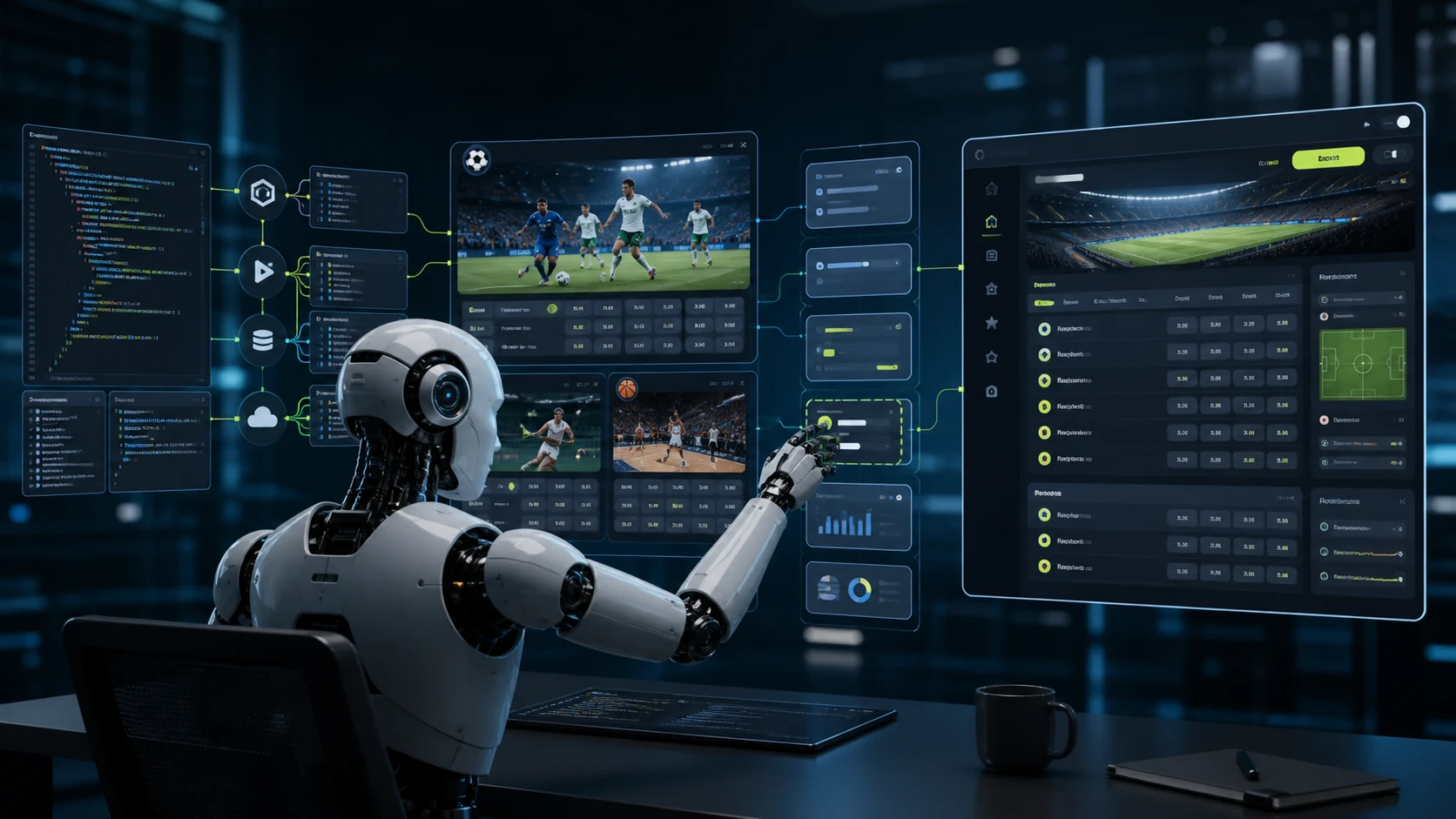
A modern AI agent can genuinely help build a sportsbook website: design the architecture, write the frontend and backend, prepare a database, connect a sports API, implement a betslip and admin panel, and create automated tests.
There is, however, one fundamental limitation. Artificial intelligence can write software, but it is not a source of sports data and cannot replace sportsbook infrastructure.
If you simply ask an AI agent:
Build me a website similar to Bet365 with live betting
it may produce a convincing interface with teams, odds, and a “Place Bet” button. But the events, prices, and results will most likely be invented or hard-coded. The project may look like a sportsbook while being unable to operate as one.
A real product requires AI-generated software to be connected to real external systems:
- prematch and live sports feeds;
- current odds;
- match results;
- a system for creating and settling betslips;
- user balances;
- payments;
- an administration panel;
- limits and risk management;
- security controls;
- the legal requirements of the target jurisdiction.
The correct question is therefore:
How can an AI agent help develop a sportsbook website and connect the finished system to real sports data?
This guide explains that process step by step.
Can AI build an entire sportsbook website?
The short answer is that AI can accelerate development substantially, but it should not make architectural, financial, or legal decisions on its own.
An AI agent is especially effective when a task has precise rules and reliable documentation:
- creating the project structure;
- developing the interface;
- writing API clients;
- working with a database;
- integrating an external Sports API;
- transforming JSON responses;
- displaying a sportsbook feed;
- creating a betslip;
- handling errors;
- caching data;
- writing tests;
- checking types;
- preparing technical documentation.
AI should not independently define:
- bet settlement rules;
- the project’s financial model;
- licensing requirements;
- KYC and AML rules;
- user limits;
- responsible gambling policies;
- the process for handling disputed bets;
- payment security;
- personal data retention policies.
These decisions must be approved by the product owner together with developers, legal advisers, and security specialists.
What AI can build and what must be connected
| Component | Can AI build it? | What else is required |
|---|---|---|
| Sportsbook website design | Yes | Brand requirements and target audience |
| Sports feed frontend | Yes | Real matches and odds supplied through an API |
| Backend application | Yes | A server, configuration, and reviewed architecture |
| User registration | Yes | Personal data processing rules |
| Betslip | Yes | Current outcome identifiers |
| Bet creation | Partly | A separate bet placement system |
| Winnings calculation | Not without rules and data | Results API or Coupon API |
| User balance | Partly | A financial model and transaction audit |
| Deposits and withdrawals | Partly | Payment provider and licensing |
| Administration panel | Yes | Approved roles, limits, and business rules |
| Sports data | No | A Sports API provider |
| Odds | No | Sports Line API |
| Licence | No | Legal setup in the selected jurisdiction |
| Production security | Partly | Specialist audit and load testing |
The main advantage of AI is not that it creates everything independently. Its value is the ability to connect approved components into one system more quickly.
Where to begin when building a sportsbook website with AI
Define the type of product
Before development starts, decide exactly what kind of website you are building.
It may be:
- a demonstration interface without real betting;
- a sports website with matches and odds;
- a sports prediction website;
- a live score service;
- an application for sports data analysis;
- a platform with a virtual balance;
- a complete real-money sportsbook website.
The difference between these products is substantial.
An informational sports website may only need:
- a sports feed;
- results;
- statistics;
- event pages;
- a Live 3D Tracker.
A complete sportsbook additionally requires:
- user registration and identity verification;
- a wallet;
- a financial ledger;
- bet placement;
- betslip settlement;
- limit management;
- payments;
- an administration panel;
- risk management;
- reporting;
- a licence.
The AI agent must receive an unambiguous product description. Otherwise, it will fill in the gaps itself and may implement features that do not match the real business model.
Define the minimum functionality of the first version
Do not begin by copying every feature of a major sportsbook.
The first technical version may include:
- A list of sports.
- Countries and tournaments.
- Prematch events.
- Live events.
- A page for an individual event.
- Betting groups and odds.
- Outcome selection.
- A betslip.
- Test bet creation.
- An administration page showing integration status.
This MVP is enough to test the core chain:
sports data → interface → selected outcomes → betslipAuthentication, balances, payments, bonuses, the Live 3D Tracker, and other modules can be added after this flow works correctly.
Choose the technology stack
AI can work with almost any modern stack:
- Laravel and PHP;
- Node.js;
- Python;
- Java;
- Go;
- React;
- Vue;
- Angular;
- Next.js;
- Astro;
- Flutter.
Choose technologies that are already familiar to the team and compatible with the existing infrastructure.
Do not let an AI agent replace the architecture of a working project merely because the model prefers another framework. A good agent first studies the application structure, coding conventions, and existing services, and only then proposes changes.
Why you should not start with the design
A common mistake is to ask AI to draw an attractive sportsbook interface first and then attempt to connect real data to it.
Such mockups usually contain assumptions that have been fixed in advance:
- a static list of sports;
- identical markets for every event;
- a permanent 1X2 group;
- hard-coded teams;
- the same structure for football, basketball, and tennis;
- invented odds;
- a predetermined number of columns.
Real sports data behaves differently.
For example:
- football may contain a 1X2 market;
- tennis normally has no draw;
- basketball markets may apply different rules to regulation time and overtime;
- some outcomes may be temporarily suspended;
- an odd may disappear from the feed;
- one event may contain hundreds of markets while another has only a few;
- sports and tournaments appear and disappear from the current menu;
- prematch and live versions of an event may have different identifiers.
The interface must therefore be designed around dynamic data instead of forcing the API to fit a table that was drawn in advance.
AI writes the code, but where do real matches and odds come from?
Once the overall architecture is defined, the main technical question is which provider will supply the sports feed.
The data provider must give the project:
- sports;
- countries;
- tournaments;
- events;
- teams or participants;
- start times;
- prematch and live statuses;
- scores and match periods;
- betting groups;
- outcomes;
- odds;
- suspension indicators;
- completed event results.
In addition to the data, developers need documentation that explains:
- how to authenticate;
- which methods to call;
- how identifiers are related;
- how frequently data should be refreshed;
- how to process empty responses;
- what to do when an event disappears;
- how to handle suspended outcomes;
- where the API key must be stored securely.
Developers can understand these rules after reading the documentation. They are even more important for an AI agent: without an exact contract, a model starts making assumptions about the API and inventing missing fields.
Practical example: connecting the SportAPI sports feed with AI
To make the process practical rather than purely theoretical, consider an integration with the Sports Line API.
SportAPI supplies the data required to build a sportsbook feed:
- a current menu of sports and tournaments;
- prematch and live events;
- teams and participants;
- score, timer, and period;
- main odds in the event list;
- the complete set of markets available for a selected event;
- sub-events;
- live statistics;
- information about Live 3D Tracker and video availability.
For AI-assisted development, the important feature is not only access to the API itself.
Sport Line API includes a dedicated AI agent integration guide. This technical brief explains how the agent should inspect an existing project, create a secure server-side connection, implement the main methods, configure data refreshes, and verify the result.
The complete documentation can also be downloaded as one archive and supplied to the agent together with the project.
This removes the need to manually retell the API contract or assemble an enormous prompt from separate documentation pages.
Why an AI agent needs dedicated instructions
Standard API documentation answers a developer’s questions:
- which URL to use;
- which parameters to send;
- which fields are returned;
- what the JSON response looks like.
An AI agent also needs behavioral rules:
- inspect the project architecture first;
- do not change the existing interface unnecessarily;
- do not invent URLs, keys, or identifiers;
- keep the API key on the backend only;
- never send secrets to the browser;
- do not mix prematch and live data;
- do not create a static tournament list;
- do not call the API more frequently than permitted;
- do not treat an empty response as a system failure;
- do not use unconfirmed fields;
- run tests after the integration;
- report which files were changed.
These constraints separate a working integration from code that merely looks plausible.
How to provide the documentation to an AI agent
Step 1. Prepare the project
The AI agent needs access to the existing repository or to a clean project in which the implementation will be created.
Before starting, it is advisable to:
- create a separate Git branch;
- preserve the current working version;
- confirm that secret files are excluded from Git;
- describe the technology stack;
- specify the commands for starting, testing, and building the project.
Step 2. Download the documentation
The SportAPI documentation includes a “Download documentation for AI” action.
The archive contains the material needed for the integration: getting started pages, API methods, data models, error handling, request examples, and a separate assignment for the agent.
The documentation can be placed in a directory such as:
client-documentation/sport-line-api/This directory does not have to be shipped with the production application. It serves as a source of technical context during development.
Step 3. Obtain test access
Real requests require:
- the Sport Line API base URL;
- a personal API key;
- the available sports;
- the language;
- the feed type: prematch, live, or both;
- the permitted domain or IP address.
Never publish a working key in a prompt, shared chat, or repository. Store it in the project’s protected configuration.
For example:
SPORTAPI_BASE_URL=https://YOUR_API_DOMAIN
SPORTAPI_PACKAGE_KEY=YOUR_API_KEY
SPORTAPI_LANGUAGE=en
SPORTAPI_LINE_TYPE=live
Step 4. Give the agent a precise task
You do not need to paste every method and JSON field into the prompt. Tell the agent where the documentation is located and describe the expected result clearly.
Example task:
Inspect the project architecture and the Sport Line API documentation in the
client-documentationdirectory. First prepare a concise integration plan. Then create a secure backend client and implement the menu, event list, and individual event methods. Keep prematch and live data separate, add caching, error handling, and tests. Never expose the API key to the browser, and do not invent fields or identifiers. Do not alter the existing design unless necessary. Run the tests after implementation and list every changed file.
The detailed technical assignment already exists in the AI agent guide, so the agent should treat the documentation as its source of truth rather than building the integration from guesses.
Which part of SportAPI should the agent connect first?
The core Sport Line API integration sequence is:
menu → events → eventLoad the menu
The first method returns the current structure:
sport → country → tournamentThe AI agent must not create a permanent tournament list in the source code. The menu is dynamic: when a section no longer has available events, a tournament or sport may disappear from the next response.
Load the event list
After a sport and tournament have been selected, the application requests a list of events.
It contains:
- teams;
- start time;
- event status;
- main odds;
- brief live statistics;
- the event identifier.
The application should not automatically request complete details for every event in the list. Doing so creates unnecessary load.
Load an individual event
When the user opens an event, the backend requests detailed data:
- the complete list of betting groups;
- odds;
- outcome columns;
- sub-events;
- score;
- statistics;
- additional fields.
The API already groups and sorts these values. The AI agent should not rebuild their order unless the interface explicitly requires it.
What is especially important to explain to the AI agent?
Prematch and live data must be stored separately
Sport Line API uses:
linefor future prematch events;livefor events currently in progress.
When an event moves to live, it receives a new game_id. The application cannot simply replace line with live in an old URL and continue using the previous identifier.
The AI agent must keep the two datasets separate and retrieve current IDs from the corresponding menu.
Do not depend exclusively on the 1X2 market
Market structures depend on the sport and the individual event.
The interface must be built from the groups and outcomes that were actually returned instead of assuming every event contains:
Home — Draw — AwayTennis normally has no draw. Basketball may use different rules. Additional events such as corners, cards, periods, and player statistics have their own structures.
Refresh odds by outcome identifier
For each outcome, Sport Line API supplies:
- its name;
- the odd value;
- the total or handicap parameter;
- a unique
oc_pointer; - the
oc_blocksuspension flag.
The AI agent must not locate an outcome only by its name or current odd.
When oc_block: true, selection must be disabled. If an outcome disappears from a new response, the application must not continue displaying the old odd as current.
Do not send a request every second
Refresh frequency depends on the method and feed type.
For example, an individual live event may be refreshed more frequently than the general menu. The timer can advance locally in the interface and synchronize with the next response instead of calling the API every second.
The AI agent should:
- use different intervals for different methods;
- avoid starting another request before the previous one finishes;
- cache data;
- increase the delay after a temporary network error;
- avoid requesting details for every event unnecessarily.
Keep the API key on the server
Requests to the provider must not be sent directly from the browser when doing so would expose a private key.
The secure flow is:
user's browser → sportsbook backend → Sport Line APIThe key must never be:
- written into source code;
- sent to the frontend;
- committed to Git;
- passed in a URL;
- printed in logs;
- published in an AI task.
A sports feed is not a bet placement system
This distinction is critical.
Sport Line API provides:
- events;
- odds;
- markets;
- scores;
- statistics;
- outcome identifiers.
The sports feed does not create betslips, debit balances, or settle winnings.
A complete sportsbook website requires a separate bet placement and settlement system, such as the Coupon API, or a proprietary betting engine.
The sequence is:
- The user opens an event.
- The user selects a current, unsuspended outcome.
- The interface adds it to the betslip.
- The backend checks the latest odd and availability again.
- The betslip is sent to the bet placement system.
- The system accepts or rejects the bet.
- The result is settled after the events finish.
- The user’s balance is changed through the financial system.
AI can implement this sequence only when it receives documentation for every participating service.
Do not ask a model to “just save the bet in the database” and treat that as a complete sportsbook system.
In what order should a sportsbook website be built?
The recommended AI-assisted development order is:
Stage 1. Sports feed without betting
Connect:
- the menu;
- prematch;
- live;
- the event list;
- the event page;
- odds;
- statistics;
- caching;
- error handling.
At this stage, the team can evaluate the quality and speed of the sports data.
Stage 2. Betslip
Add:
- outcome selection;
- outcome removal;
- single bets;
- accumulators;
- potential winnings calculation;
- checks for suspended or missing odds.
The betslip can still operate without debiting real money.
Stage 3. Coupon API
Connect:
- betslip submission;
- current odd confirmation;
- bet acceptance or rejection;
- result webhooks;
- win, loss, and refund statuses;
- accumulator settlement.
Stage 4. Users and balances
Implement:
- registration;
- authentication;
- a financial ledger;
- reservation of the stake amount;
- debits;
- crediting winnings;
- transaction history;
- protection against duplicate transaction processing.
Stage 5. Administration panel
Administrators may need access to:
- users;
- balances;
- betslips;
- bets;
- limits;
- events;
- odds;
- manual settlement;
- reports;
- the action log;
- staff roles.
Stage 6. Payments, licensing, and security
Before real money is introduced, address:
- licensing;
- the countries in which the website will operate;
- KYC and AML;
- age restrictions;
- responsible gambling;
- personal data protection;
- payment providers;
- financial reporting;
- security audits;
- backups;
- monitoring.
AI can help implement approved requirements, but it must not replace legal or financial expertise.
Common mistakes when building a sportsbook website with AI
Asking AI to build the whole project in one request
A very large assignment usually produces a shallow result. The agent creates many files but does not have enough context to verify real scenarios properly.
Split the work into stages:
- Architecture.
- Sports API.
- Sports feed interface.
- Betslip.
- Coupon API.
- Balance.
- Administration panel.
- Testing.
Continuing to use invented data after connecting the API
Mock data is useful during early design, but it must not be mixed with production data after the integration is active.
Users should always understand which events are real and which are demonstrations.
Allowing AI to invent API fields
When an agent cannot find a required field, it may create a plausible name such as match_status, league_slug, or is_live.
Only fields confirmed by the documentation and real JSON responses may be used.
Giving the agent production secrets
The AI agent needs to know the environment variable name, but it does not need to see the production key.
Use a test environment and separate restricted credentials for development.
Ignoring edge cases
Always test:
- an empty event list;
- an event disappearing;
- an event moving to live;
- a suspended odd;
- an odd changing in the betslip;
- a cancelled or postponed event;
- a network failure;
- an expired key;
- an unavailable language;
- duplicate betslip submission;
- a repeated webhook;
- a connection failure during bet placement.
Connecting real money immediately
The system must first operate reliably with test betslips and a virtual balance. Payments and real betting should only be introduced after the business logic, security, and legal requirements have been reviewed.
Is a developer still required when an AI agent is available?
It depends on the scale of the project.
An experienced product owner or developer can use AI to accelerate the work considerably. A person must still:
- formulate requirements;
- make architectural decisions;
- review the code;
- control security;
- test financial logic;
- evaluate integration quality;
- accept the final result.
A person without technical experience may be able to create a demonstration prototype. Launching a system that accepts real bets and controls user funds without qualified review, however, creates an unjustifiable risk.
Frequently asked questions
Can I build a sportsbook website using only ChatGPT?
You can build a prototype, an interface, or part of the backend. A working product still requires real sports data, a bet settlement system, a server, payments, security, and licensing.
Which AI is best for development?
Use an AI agent that can inspect a project, edit files, run commands, and verify its work. The specific model is less important than the quality of the technical brief, documentation, and human review.
Can AI connect SportAPI on its own?
Yes, provided the agent has access to the project, complete documentation, a test environment, and the necessary configuration. SportAPI provides a dedicated AI-agent guide and a downloadable documentation archive for this purpose.
Should I give the AI agent my API key?
Do not publish a working key in a chat or include it in the task. Keep it in a protected environment variable. The agent only needs to know the variable name and the rules for using it.
Can I create the design first and connect the API later?
Yes, but the interface must account for the dynamic structure of sports data. Otherwise, event lists, market groups, and event pages will have to be rebuilt after the API is connected.
Does Sport Line API accept bets?
No. Sport Line API supplies sports data and odds. A separate Coupon API or another bet placement system is required to create and settle betslips.
Can AI build a Bet365 alternative?
AI can help develop similar user flows, but a major sportsbook platform consists of many services and is built over years. A more realistic approach is to define the required functionality and launch it incrementally.
Is a licence required for a sportsbook website?
If the product accepts real bets and user funds, the requirements depend on the country of registration, target markets, and business model. Consult specialised legal advisers before commercial launch.
How to start right now
To build a sportsbook website with AI, do not begin with the instruction “make a clone of a major bookmaker.”
Start with one specific technical stage:
- Decide whether the product is an informational website, a demonstration project, or a real sportsbook.
- Choose the technology stack.
- Create the basic project structure.
- Obtain test access to sports data.
- Download the SportAPI documentation for AI.
- Give it to the agent together with the project.
- Ask the agent to implement the
menu → events → eventchain. - Verify prematch, live, odds, and error handling.
- Only then move on to the betslip and Coupon API.
The ready-made AI agent integration guide already contains the rules for integration, security, data refreshes, and verification.
If you already have a website or prepared frontend, you do not need to rebuild the system. Give the AI agent the project and SportAPI documentation, obtain a test key, and start by connecting a real sports feed to the existing architecture.